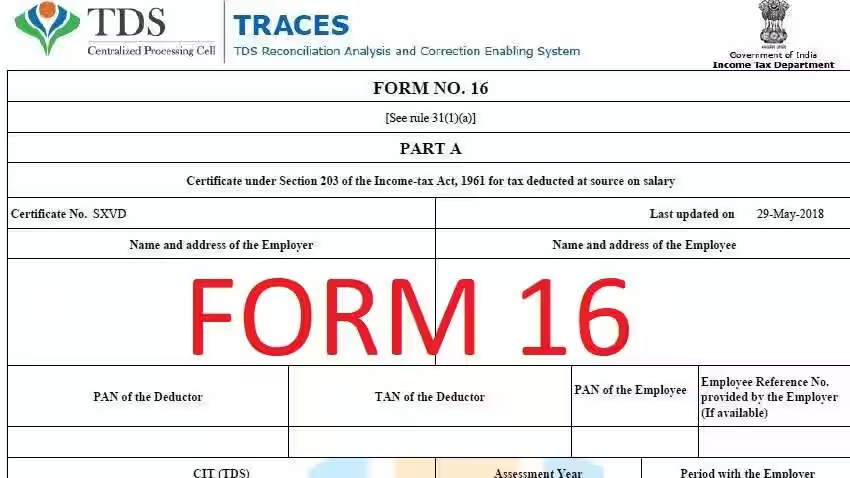
Form 16 TDS Certificates

Form 16 is a TDS certificate that shows the salary earned and the TDS deducted from your salary. It is issued by the employer before June 15th every year, after the end of the financial year in which the income was earned. Keep in mind that you should receive Form 16 from all the employers you have worked with. 

Form 16 plays a very important role when it comes to filing income tax returns for salaried individuals. It has two components: Part A and Part B.

Part A of Form 16

Part A of Form 16 provides details of TDS deducted and deposited quarterly details of PAN and TAN of the employer and other information. 
An employer can generate and download this part of Form 16 through the TRACES (https://www.tdscpc.gov.in/app/login.xhtml) portal. The employer should authenticate the certificate’s contents before issuing it. 
It is important to note that if you change your job in one financial year, each employer will issue a separate Part A of Form 16 for the period of employment. Some of the components of Part A are:

  • Name and address of the employer
  • TAN and PAN of employer
  • PAN of the employee
  • Quarterly summary of total salary payments for the concerned financial year
  • Summary of tax deducted and deposited quarterly, which is certified by the employer

Part B of Form 16

Part B of Form 16 is an Annexure to Part A. Part B is to be prepared by the employer for its employees and contains details of the breakup of salary and deductions approved under Chapter VI-A. 
If you change your job in one financial year, you should take Form 16 from both employers. Some of the components of Part B notified newly are:

Difference Between Form 16, Form 16A and Form 16B

Form 16 – Form 16 is a TDS certificate issued by the employer as proof of tax deducted from the employee’s salary income. It serves as proof that tax has been deducted at source from the employee’s salary income and deposited with the government. It is essential for filing income tax returns.

Form 16A – Form 16A is a TDS certificate issued not by the employer but by financial institutions on your income other than your salary. For example, a Form 16A shall be issued to you – when a bank deducts TDS on your interest income from fixed deposits, for TDS deducted on insurance commission, for TDS deducted on your rent receipts.

Form 16B – Form 16B is issued for TDS deducted on payments made for the purchase of property under section 194-IA of the Income Tax Act, 1961. The buyer of the property is responsible for deducting TDS at the rate of 1% before making payment to the seller. Subsequently, the buyer needs to furnish Form 16B to the seller as proof of TDS deduction.

When will Form 16 be Available for FY 2023-24?

The due date to issue Form 16 is 15th June 2024. If your employer deducted TDS from April ‘23 – March ’24, then Form 16 must be issued by 15th June ’24. If you lose your Form 16, you can request a duplicate from your employer.

What are the Eligibility Criteria for Form 16?

According to the regulations issued by the Finance Ministry of the Indian Government, every salaried individual whose income falls under the taxable bracket is eligible for Form 16. 

If an employee’s income does not fall within the tax brackets set, they will not need to have Tax Deducted at Source (TDS). Hence, in these cases, the company is not obligated to provide Form 16 to the employee.

However, nowadays, many organisations issue this certificate to employees as a good work practice. It contains a consolidated picture of the individual’s earnings and has other additional uses.

Why is Form 16 Required?

Form 16 is a very important document as:

Each salaried employee can obtain Form 16 from the employer on or before June 15th. If any employer delays or fails to issue Form 16 by the specified date, the employer is liable to pay a penalty of Rs.100 per day until the default continues.

What are the Differences between Form 16 and 16A?

In the following table, we have provided the differences between Form 16 and Form 16a based on several criteria,

Form 16 vs Form 16A
CriteriaForm 16Form 16A
Type of IncomeTDS on salary incomeTDS on income other than salary (e.g., interest, rent, professional fees)
IssuerIssued by the employerIssued by entities or individuals who deduct TDS on non-salary payments
Details IncludedPart A: Employer and employee details, TDS summary, TDS payment acknowledgement.Part B: Detailed salary breakup, deductions, taxable salary, tax computation, TDS detailsDeductor and deductee detailsNature of paymentAmount paid/creditedTDS details (receipt number, date of payment/credit, amount deducted, rate of TDS)
PeriodicityIssued annually at the end of the financial yearIssued quarterly
Relevance for Filing ITRUsed by salaried individuals for income tax return filingUsed for filing returns for income from non-salary sources
Nature of DeductorEmployer-employee relationshipAny deductor-deductee relationship (e.g., bank-customer, client-professional)
VerificationContains employer’s declaration and signature verifying accuracyContains deductor’s declaration and signature verifying accuracy
TDS Return Form ReferenceNot typically referenced in TDS return formsReferenced in TDS return forms like Form 24Q, and 26Q for quarterly TDS reporting
TDS Payment AcknowledgmentIncludes acknowledgement of TDS payment made by the employerIncludes acknowledgement of TDS payment made by the deductor

This table concisely summed up the Form 16 and Form 16A differences.

How to Download Form 16?

TRACES (TDS Reconciliation Analysis and Correction Enabling System) is an online website by the Income Tax Department of India. It is used to manage TDS-related activities and provides services to employers, taxpayers, and other stakeholders. This platform allows employers to download Form 16 Part A & B. To download Form 16 from TRACES, follow these steps:

Step 1: Visit the official TRACES website.

Step 2: If you are already registered, enter your PAN card number (User ID) and Password to log in. For new users, complete the registration process and create a new account.

Step 3: Navigate to the ‘Downloads’ tab and select ‘Form 16.’

Step 4: Choose the Form type and select the financial year for which Form 16 is required.

Step 5: Verify PAN and other details.

Step 6: Enter the TDS receipt number and select the date of the TDS.

Step 7: Add the total tax deducted and collected.

Step 8: Click on submit to request for download.

Step 9: Download the files under the ‘Downloads’ tab once the Form is available for download.

Form 16 Details when Filing Your Return

With reference to the image below, here is where you can locate certain information for filing your income tax return for FY 2023-24 (AY 2024-25).

You can also find additional information of your employer in your Form 16 while filing your annual return, such as:

  • TDS deducted by the employer
  • TAN of employer
  • PAN of employer
  • Name and address of employer
  • Current assessment year
  • Your PAN

Points to be Noted while Checking Form 16

Upload Form 16 & File Income Tax Return

Our software automatically extracts all the relevant information from your Form 16 and prepares your tax return. You do not need to enter anything manually.

What is the Password of Form 16 and How to Open It?

Form 16 password is configured by your employer. You can refer to the email sent by your employer to check the format of the password.

Form 16 password is usually configured in the below combination.

  • Your PAN (Lower or uppercase).
  • Your Date of birth in DDMMYYYY format or DD/MM/YYY format.
  • Combination of your PAN (Lowercase or uppercase) and Date of birth.

Form 16 Password Example

Let’s say your PAN is AAAAA0000A and your date of birth is February 9, 1990, then, your password will be AAAAA09021990.

How to Remove the Form 16 Password?

Since Form 16 is password protected, you need to enter a password each time you open it, to avoid that, you can follow these steps-

  • Right-click on the PDF file and open the file with Google Chrome.
  • Enter the password in the above-specified format and click on the submit button.
  • The screen printer option will appear in the upper right corner; click on it or press Ctrl + P. 
  • Now, the print window will appear with an option to change the destination
  • Change the destination to Save as PDF.
  • Click on the Save button below and choose the desired location to save the PDF
  • The password is now removed from Form 16.

How to validate the digital signature on your Form 16?

Step 1: Check the validity of the digital signature. In a case, the validation fails, the ‘Signature Validation Status’ will display that the validity is unknown. You will see the below information:

Step 2: You should perform further validations by clicking on ‘Signature Properties’, and then click on ‘Show Signer’s Certificate’. When you click on ‘Show Signer’s Certificate’, a certificate viewer window appears. In the ‘Summary’ tab, you can see the details of the digital signature. Further, in the ‘Details’ tab, you can view the details of the signer such as name and email address of the signer. You can also see the digital signature certifying authority. CCA India is the official certifying body for digital signatures in India.

Step 3: The CCA is not part of the list of digital certificates. You can add CCA India to your trusted list of digital certificates. You click on the tab ‘Trust’, and click on ‘Add to Trusted Certificates’. A security message will pop-up. Click ‘OK’, and next, it will open ‘Import Contact Settings’. Select ‘Use this certificate as a trusted root’. Please note that when you add the certificate to your trusted list, you should make sure that the ‘Certified Documents’ option is selected. Click on ‘OK’ and return to the ‘Certificate Viewer’ window. Now CCA India is part of your trusted certificates.

Step 4: Hence, you can re-validate the digital signature by returning to the ‘Signature Properties’ window. You can re-validate by clicking on the ‘Verify Certificate’ or ‘Validate Signature’ button. The digital signature is now valid. Click on ‘Close’ and your Form 16 validation is complete.

When does the employer deduct TDS and does not issue a certificate?

Any person responsible for paying a salary must deduct TDS before making payment. The Income Tax Act lays down that every person who deducts TDS from a payment must furnish a certificate with TDS deducted & deposited details. An employer in specific is compulsorily required to furnish a certificate in the format of Form 16.

If no Form 16 has been issued to me, does it mean I don’t have to pay tax or file a return?

While the onus of deducting tax on salaries and providing Form 16 is on the employer, the onus of paying income tax and filing an income tax return is on you. If your aggregate income from all sources goes above the minimum tax slab, you must pay tax, whether or not your employer has deducted TDS. Even when he fails to issue you a Form 16, you must file an income tax return and pay off the due taxes.

Can you use TRACES to get Form 16 from your employers?

Employees cannot use TRACES to get Form 16. They do not have information of the TDS receipt number and the total tax deducted. They have to get it from their employers directly.

How employer can download Form 16 from TRACES?

Employer can download Form 16 from the TRACES website, the steps to follow is given above.

How can I open my Form 16?

You can use your Form 16 password to open this password-protected PDF. The password is the first five characters of your PAN followed by your date of birth in the format DDMMYYYY.

What is the penalty for not furnishing Form 16 by the employer?

The employer will have to pay a sum of Rs. 500 per day for every day the default continues.

What is the difference between Form 16 and Form 16A?

While Form 16 is a TDS certificate for only salary income, Form 16A is applicable for TDS on ‘Income Other than Salary’.

For example, a Form 16A shall be issued to you – when a bank deducts TDS on your interest income from fixed deposits, for TDS deducted on insurance commission, for TDS deducted on your rent receipts. In fact, when TDS is deducted from any other income you receive, that is liable for such deduction.

Is Form 16 and Income Tax Return the same?

No, Form 16 is not the same as an Income Tax Return (ITR). Form 16 is a TDS certificate issued by the employer, whereas an ITR is a form filed by the taxpayer with the income tax department declaring their income and taxes.

What should i do if there is error in my Form 16?

If you notice any discrepancies or errors in Form 16, you should bring it to the attention of your employer immediately for correction.

How long does it take to get Form 16?

The employer deducting tax should issue Form 16 by 15th June after the end of the financial year in which tax is deducted.

How to check the authenticity of my Form 16?

Your Form 16 is digitally signed by or on behalf of your employer. In addition to checking the details of your salary, tax deductions, tax calculations you should also check the form to make sure that the digital signature is validated and the form is authentic. The validation of a digital signature ensures that there is no tampering with the Form 16 after signing.

Is it mandatory to issue Form 16?

Yes, it is mandatory for every employer who has deducted any tax at source to issue Form 16 to the employees. It is a vital document for the employees to file their income tax returns.

Form 16, 16A, and 16B

Form 16 is an official document in India that is issued by an employer to its employee. It contains details about the employee’s income earned during a financial year and the amount of tax deducted at source (TDS) by the employer on behalf of the employee. Form 16((incometaxindia.gov.in) has two parts, Form 16A and Form 16B and both together provide an exhaustive report about the computation of taxes applicable to the respective employee.

Form 16?

It is a certificate issued by the employer to the employees to deduct tax at the source (TDS). It is a form issued by employers to salaried individuals in India.  It mentions the tax amount deducted by the employer and is submitted to the Income Tax (IT) department.

If an individual has worked with more than one organization in the course of a financial year or worked with more than one employer at a given point in time, and tax has been deducted by all the employers, the individual has to ideally, obtain Form-16 individually from every such employer. However, if the income was below the taxable limit the employer may not issue Form-16.

Parts in Form 16 

  • Part A

Form 16 is like a report card for your taxes deducted at source (TDS). It comes in two parts, and Part A focuses on the tax game between you and your employer. Here’s what you’ll find in this section:

  1. Employer Identity: This includes your employer’s name, address, and unique identification numbers (TAN and PAN).
  2. Your Tax Details: Part A shows your PAN, the key that links your tax information.
  3. Salary Breakdown (Quarterly): This section provides a quarterly breakdown of your total salary for the financial year.
  4. TDS Tracking: Here’s the nitty-gritty! Part A summarises the tax deducted from your salary each quarter, along with confirmation from your employer that this amount has been deposited with the government.
  5. Key Point: If you switch jobs during the year, you’ll receive a separate Part A from each employer, reflecting your pay and tax details for the time you were with them.
  • Part B

Part B dives deeper into your income picture. Think of it as the ‘behind-the-scenes’ details of your salary and taxes. Here’s what you can expect to find:

Part in Form 16A Encompasses the Following Details

  • Details of the employer and the employee like the name and residential address
  • TAN and PAN details of the employer and the employee
  • Details pertaining to the tax deducted and deposited quarterly which is duly certified by the employer.

Part in Form16A also mentions the amount of the tax deducted and the date on which it was deposited and other details such as the challan issued by the government etc.

Part in Form 16B of the form is the annexure attached to Part A. Part B has to be issued by the employer and should enlist the breakup of the salary and tax deductions of the employee.

Form 16B predominantly explains the computation of taxes taking into consideration the investment declaration made by the employee at the beginning of the financial year and the proof submitted to corroborate the same. Details pertaining to the allowances awarded by the employer to the employee are also enclosed in this section. Other particulars such as rent paid, medical bills, EMIs (Equated Monthly Installments) towards home loans, and other tax exemptions shall be enclosed in Part B.

Form-16B of the Form Comprises the Following Details

  • Comprehensive details pertaining to the breakup of the salary
  • Details pertaining to the exempted allowances under the Income Tax Act, 1965
  • Deductions including PPF (Public Provident Fund), housing loans, national saving certificate, life insurance schemes, and other investments and saving schemes
  • Deductions under other sections include but are not limited to NPS (National Pension Scheme), mediclaim policies, donations, etc
  • Tax computed on the total income of the employee
  • Cess levied if any
  • Rebate on tax if any
  • Surcharges, if applicable.

Form 16 Eligibility

Form-16 is like a tax receipt for salaried individuals. But who qualifies to receive one? Here’s a breakdown:

  • Tax Filing Threshold: Generally, if your income falls under the taxable bracket and you need to file an income tax return, you’ll be eligible for Form-16. This ensures your employer reports the deducted tax to the government.
  • Not Mandatory for Everyone: If your income falls below the taxable limit and you don’t need to file a return, you technically aren’t eligible for Form-16. However…
  • Good Practice for Employers: Many employers still provide Form-16 to all employees, even those below the tax filing threshold. This acts as a record of your earnings and can be helpful for future loan applications or other purposes.

Why Form-16 is Required?

It is required for filing income tax returns (ITR) by salaried individuals. It is a certificate issued by an employer to their employees, which contains details of the salary paid, tax deducted at source (TDS), and other relevant information. It is proof of the TDS deducted by the employer on behalf of the employee.

When Form 16 will be Released?

It is issued by the employer to the employee by 15th June of the financial year following the year in which the income was paid and tax deducted. For example, if you have worked for a company in the financial year 2024-25, and your employer is required to issue Form 16 to you by 15th June.

Differences Between Form-16A and Form-16B

While both parts discuss TDS, the difference lies in the authority that issues the respective forms. For instance, Form-16A is issued by financial institutions for interests earned on fixed deposits, insurance commissions etc. Form-16B is issued for TDS for income earned through the immovable property. It is issued by the buyer to the seller.

Advantages of Form 16 Filing

The form acts as evidence for the deposition of the TDS amount by the employer with the Central government. Apart from this, there are a number of advantages Form 16 have to offer as depicted below:

  1. Form-16 acts as an ‘income from salary’ statement
  2. Acts as proof of income
  3. Clearly shows how the tax was computed
  4. Records all tax-saving investments
  5. Aids in loan assessment and approval
  6. Acts as proof for visa issuance
  7. While switching jobs guides the next employer to compute taxes based on how the previous employer had ascertained the same
  8. As the document is associated with the tax credit, employees can check if taxes are overpaid inadvertently, and can claim a refund appropriately.

How to File ITR with Form 16

There are certain bits of information that are required when filing your ITR. These details can be found on Form 16. They include the following:

  • Allowances that are exempt under Section 10 of the Income Tax Act
  • A breakup of the deductions under Section 16 of the Income Tax Act
  • Income from house property provided for TDS
  • Income from other sources provided for TDS
  • Taxable salary
  • A breakup of the deductions under Chapter VI-A of the Income Tax Act covering the deductions under Section 80C, Section 80CCC, Section 80CCD(1), Section 80CCD(1B), Section 80CCD(2), Section 80D and Section 80E of the Income Tax Act
  • Aggregate of deductible amount under Chapter VI-A of the Income Tax Act covering the deductions under Section 10(a), Section 10(b), Section 10(c), Section 10(d), Section 10(e), Section 10(f), Section 10(g), Section 10(h), Section 10(i), Section 10(j), and Section 10(l) of the Income Tax Act
  • Refund due or net tax payable

Additional details from Form 16 required for filing your income tax returns

  • Tax deducted at source by the employer
  • Employer’s TAN
  • Employer’s PAN
  • Employer’s name as well as address
  • Present assessment year
  • Name and address of the taxpayer
  • PAN of the taxpayer

*There are certain fields in the form that are notified for deductions. They are as follows: :

DeductionsContribution
Section 80CPPF, Premium Payments Towards Life Insurance
Section 80CCCPF
Section 80CCD(1)Both salaried and self-employed towards NPS
Section 80CCD(1B)Additional Deduction towards the Pension Scheme
Section 80CCD(2)Employer’s Contribution to Pension Scheme
Section 80DHealth insurance
Section 80EEducation Loan
Section 80GDonations or Charitable Trusts
Section 80TTASavings Account

Steps to file ITR Online with Form 16

Step 1: Visit the official Income Tax e-Filing portal.

Step 2: To log in to the portal, enter your user ID and password.

Step 3: Enter your PAN card number as well as other requested information.

Step 4: Provide other important details like your date of birth, address mobile number, etc.

Step 5: Upon entering all the details, you can submit the income tax return for verification.

Can I File ITR Without Form 16

  • According to Section 272A(2)(g) of the I-T Act, it is the employer’s responsibility to deduct tax from employees’ salaries and provide a certificate of TDS.
  • Failure to do so will result in a fine of Rs.100 per day of default.
  • If an organisation or employer refuses to issue the certificate despite repeated requests, there could be a chance that the deductor has not deposited the tax with the relevant government department.
  • After the employee informs the concerned Assessing Officer, they will take the appropriate corrective action and start the penalty proceedings against the employer.
  • However, it is the responsibility of the individual to pay income taxes and file returns.
  • Employees are not exempt from filing tax returns if their employer did not issue Form 16.
  • Income tax returns can be filed by using alternative documents like Form 26AS, rent receipts, TDS Certificates from the bank, proofs of tax-saving investments, and salary slips.

Lost your Form 16? Here’s what you can do

  • Form 16 is a highly important document that must be preserved carefully.
  • However, in case you have lost your Form 16, you can go through your mail and find it (if you received it via mail).
  • In case you received a hard copy from your employer and lost it, you can request your employer to issue another form.

How to Calculate your Salary Income if you have not received Form 16?

  • Sometimes, employers do not provide Form 16 to employees whose annual salary is lower than the minimum taxable limit (Rs.2.5 lakh).
  • In case you wish to file your income tax returns without Form 16, you will have to refer to your bank statements, payslips, home loan or education loan certificates, tax-saving investment proofs, Form 26AS, etc.
  • Your payslips will contain information regarding your basic salary as well as allowances, while Form 26AS will have the information regarding all the taxes you have paid and the taxes that have been deducted.

Given below is an example for how tax is calculated in case you do not receive the Form 16:

  • Basic Pay: Rs.30,000 per month (Rs.3.60 lakh per year)
  • Transport Allowance: Rs.1,400 per month (16,800 per year)
  • Deductions: Rs.30,000 (Since, tax exemption of Rs.1,600 per month is allowed, no tax will need to be paid on the allowance.)

Taxable Amount: (Rs.3,60,000 – Rs.40,000) – Rs.2,50,000 = Rs.70,000

Details a Receiver Must Check in Form 16

  • Once the employer issues Form 16, the receiver must make sure that all the information on it is accurate.
  • Besides checking personal information and details regarding the TDS and income, the receiver must also check the PAN number.
  • If the PAN is stated incorrectly, it must be rectified immediately by contacting the company’s HR, payroll, or finance department.
  • The employer will provide the employee with a corrected and updated Form 16.

Form-16 is one of the most crucial documents required to file IT returns. The form can be filed online or offline. Once Form-16 is filed online, the returns can be verified by generating the e-verification code (EVC). The form can also be verified by printing an ITR-V (Income Tax Returns – Verification) and by signing and furnishing the copy physically to the CPC (Central Processing Centre).

However, it might be interesting to note that ITR (Income Tax Returns) can also be filed without Form 16. But the respective individual has to furnish all the details mentioned in Part A and Part B separately. For instance, details pertaining to the salary, deductions, allowances, TDS, PAN, and TAN details of the employer, documents relating to investment, etc have to be submitted independently. Thus, Form 16 greatly streamlines the process of filing the ITR for salaried employees and also acts as proof of income to salaried employees.

Income tax return Form 16 Simplified

Income Tax Return: This month, employers are scheduled to issue the Form 16 every year on or before June 15. Following this, salaried individuals can expedite the income tax return filing process. Form 16 is one of the several 

Form 16 is a crucial document that plays an instrumental role in filing income-tax returns (ITR), especially for salaried individuals. It is the responsibility of employers to provide their employees with Form 16 at the conclusion of every fiscal year. This significant document details the quantity of tax deducted from an employee’s pay, which has also been consequently submitted to the government on behalf of the said employee.

“Form 16 acts as a crucial piece of documentation for filing your income tax return (ITR). The information in this form pre-populates sections of your ITR, saving you time and effort. It also serves as proof that your employer deducted and deposited the tax on your behalf,” said Avinash Godkhindi, CEO & MD, Zaggle Prepaid Ocean Services.  

Form 16 and ITR filing

Form-16 streamlines income tax filing for employees, offering a comprehensive overview of their earnings and deductions. It enables taxpayers to precisely declare income and avail deductions during income tax return (ITR) filing.

It contains: 

> Salary Income Details: Form 16 provides a comprehensive breakdown of your salary income for the previous financial year. This includes your basic salary, allowances, deductions claimed, and any other taxable components.

> Tax Deducted at Source (TDS): This section highlights the total amount of tax deducted from your salary by your employer throughout the financial year. It also details how this TDS was deposited with the Income Tax Department on your behalf.

> Two parts

There are two parts of the Form 16. Form 16-A summarises an employee’s tax deductions made by the employer and sent to the I-T department. It represents the employee’s tax situation but should not be mistaken for Form 16. Both Form 16 and Form 16-A serve different purposes.

Form 16-B consolidates financial details like salary, deductions, and additional income for an employee. It includes data from both the employee and the employer, offering a comprehensive overview of the individual’s financial situation.

> Part A: Focuses solely on TDS information, including the deducted tax amount and challan details (payment slips) used for depositing the TDS with the government.

> Part B: Provides a detailed breakup of your salary income, including allowances, deductions claimed, and other tax-related details.

5 steps to consider as soon as you get your Form 16 for FY24

Explaining more about the Form 16, Godkhindi said it acts as a tax certificate detailing your salary income for the previous financial year and the Tax Deducted at Source (TDS) by your employer. In simpler terms, it shows how much you earned and how much tax the government already collected from your salary.

After you get the Form 16, Godkhindi said one should:

> Review and Verify the information: Carefully examine Form 16 to ensure all details are accurate. This includes your personal information, employer details, income breakup, deductions claimed, Tax Deducted at Source (TDS) information, etc.

> Compare with Form 26AS: Download your Form 26AS from the Income Tax Department’s website. This form provides a consolidated view of your tax deducted at source (TDS) by all deductors (including your employer). Compare the TDS information in both forms to identify any discrepancies.

> Address Discrepancies (if any): If there are any mismatches between Form 16 and Form 26AS, reach out to your employer’s HR or finance department to rectify the errors. They can file a revised TDS return to correct the information. Once done, you’ll receive an updated Form 16.

> Prepare for Income Tax Filing: With a verified Form 16, you can start preparing to file your income tax return (ITR). Gather all necessary documents like bank statements, investment proofs for tax deductions, etc.

> File Your Income Tax Return (ITR): Use the details mentioned in Form 16 to fill out the appropriate ITR form on the Income Tax Department’s e-filing portal. The form will pre-populate income details based on Form 16 information.

All You Need to Know About New Form 16 Filing for the 2024 Income Tax Return

All You Need to Know About Form 16 Filing for the 2024 Income Tax Return

Form 16 plays a crucial role in filing the Income Tax Return (ITR) for a specific financial year, especially for individuals earning a salary. It serves as a detailed record of Tax Deducted at Source (TDS), providing a comprehensive overview of an employee’s earnings, including salary, allowances, and additional perks, throughout the year.

If an individual earns more than Rs 2.5 lakhs per annum, their employer should issue Form 16. Employers typically issue Form 16 around mid-June, specifically before June 15. For the assessment year 2024-25 (financial year 2023-24), Form 16 should be issued by June 15, 2024.

The deadline to file ITRs for a given financial year is usually July 31, unless extended by the ruling government. Consequently, if a company issues Form 16 on June 15, the taxpayer has 45 days to file their tax returns.

Understanding Form 16

Form 16 comprises two distinct sections. Part A provides a summary of the employer’s tax deductions on behalf of the employee, reported to the Income Tax Department. Part B elaborates on various financial aspects, offering a detailed view of the individual’s financial status.

Distinguishing Form 16, Form 16A, and Form 16B

Form 16 and Form 16A are crucial for taxpayers and should not be confused. Form 16 is a certificate furnished by employers, confirming the deduction and remittance of tax from the employee’s salary. In contrast, Form 16A provides an overview of tax deductions from the salary and its remittance to the I-T department.

Form 16-B presents a consolidated statement of diverse financial details associated with an employee’s income.

Key Considerations

Form 16 holds significance beyond tax return filing, as it is often required by banks and financial institutions to assess an individual’s financial status. Additionally, when changing jobs within a financial year, obtaining Form 16 from each employer is essential for accurately calculating taxable salary and ensuring compliance with tax regulations.

It is crucial to maintain clear communication and documentation when transitioning between employers to accurately assess income for tax purposes, thus avoiding potential discrepancies and penalties.

The Ultimate Guide to Understanding and Using Form 16

Form 16 is a crucial document provided by employers to employees at the end of each financial year. It contains details required for filing income tax returns and acts as proof of TDS deposited with the Income Tax department. The document includes information about salary, tax-saving instruments, and allows for correction of errors. It can be used as income proof and is necessary for filing ITR. It is issued by the employer by 31 May of the assessment year, and is essential for those earning a salary and filing tax returns. The form consists of two parts: Part A, with employer details and quarterly tax deductions, and Part B, which includes a detailed salary breakup, allowances, and relief provided under the Income Tax Act. Different types of Form 16 exist, including Form 16A and Form 16B, each applicable to specific income sources and transactions. Form 16 is vital for banks and financial institutions when individuals seek loans. The article also explains the process of downloading Form 16 online, details the difference between Form 16, Form 16A, and Form 16B, and provides information on filing ITR with Form 16, and how to proceed if Form 16 is lost. Additionally, it outlines the details required for filing income tax returns and provides steps for filing ITR online with Form 16. If an individual doesn’t receive Form 16, alternative documents can be used to file tax returns. The summary also includes a procedure for calculating salary income if Form 16 is not received and lists the details receivers must check in Form 16, emphasizing the importance of accurate information and the correct PAN number.

Employers typically base their tax calculations on the employee’s forecasted earnings and investment declarations made at the start of the year or throughout it.

Form 16 serves as proof of the TDS that the employer or organisation has deposited with the Income Tax department.

Contents  hide 

1 What is Form 16?

2 Form 16 – When is it Issued?

3 Benefits of Form 16

4 How to Download Form 16 Online?

5 Types of Form 16

6 Difference Between Form 16, Form 16A, and Form 16B

7 Different Parts of Form 16

8 Form 16 Eligibility

9 Why Form 16 is Needed?

10 Demystifying Form 16 for the Common Man

11 How to File ITR with Form 16

11.1 Steps to file ITR Online with Form 16

12 Can I File ITR Without Form 16

13 Lost your Form 16? Here’s what you can do

14 How to Calculate your Salary Income if you have not received Form 16?

15 Details a Receiver Must Check in Form 16

15.1 Related

What is Form 16?

Form 16 is a document that contains all details required to file the income tax returns. The employers will need to provide Form 16 to employees at the end of every financial year.

  • According to the Income Tax Act, every employer is required to deduct TDS when paying salaries. This is calculated based on the income tax slab rates in effect for that financial year.

Form 16 – When is it Issued?

Form 16 must be given by the employer by 31 May of the assessment year. This gives the employee sufficient time to file the ITR before the last date.

Benefits of Form 16

The main benefits of Form 16 are mentioned below:

  • Refunds can be claimed (if applicable).
  • All tax-saving instruments can be viewed.
  • In the case of any errors, information can be corrected.
  • Salary details are provided.
  • Form 16 can be submitted as income proof.
  • ITR can be filed with the help of Form 16.

How to Download Form 16 Online?

The procedure to download Form 16 PDF for salaried employees from the official Income Tax Department website is mentioned below:

Step 1: Visit the official website of the Income Tax Department

Step 2: On the Right End, Click on ‘Menu‘ and Select ‘Forms/Downloads‘ section.

Step 3: ​​Now, you will find the ‘Income Tax Forms‘ option under Forms/Downloads section.

Step 4: Scroll down the page you will see Form 16 Under Income Tax Forms.

Step 4: Next, you will find the ‘PDF‘ and ‘Fillable Form‘ options available under ‘Form 16‘.

Step 5: Click on the relevant option. You will be able to download the form on the next page.

Types of Form 16

The two types of Form-16 are:

Form 16-A

  • Form 16A is a TDS certificate used for TDS on income besides salary.
  • When your bank deducts TDS from your interest income from fixed deposits, TDS on insurance commissions, TDS from rent payments, or any other income that is subject to such deduction, for instance, you get a Form 16A.
  • Information about the income earned, the TDS deducted from it, and the TDS deposited is provided in Form 16A.
  • Additionally, it includes the deductor’s/deductee’s name, address, PAN information, challan information for TDS deposits, and the deductor’s TAN information.

Form 16-B

  • The TDS certificate for TDS deducted during the sale of immovable property is Form 16B.
  • It serves as proof that the TDS deducted on selling property has been submitted to the government.
  • When purchasing immovable property, the buyer must deduct 1% TDS on property from the price they must pay to the seller.
  • Following that, the buyer has to submit Form 16B to the property seller and file TDS with the Income Tax Department.

Difference Between Form 16, Form 16A, and Form 16B

The difference between Form 16, Form 16A, and Form 16B has been summarised in the following table:

Form 16Form 16AForm 16B
Issued by the employer who deducts the TDS.Issued by the financial institution who deducts the TDS.Issued by the respective buyer to the seller for the deduction of TDS for sale of immovable property.
Issued for tax deducted at source on salary.Issued for tax deducted at source for any other income except for salary.Issued for tax deducted at source for the sale of immovable property.
Applicable only to salaried incomeApplicable to income earned as interest, commission, dividends, etc. Applicable to income earned by selling land or building (other than agricultural land) 
Issued annually Issued quarterly Issued according to the number of transactions 
Employees earning Rs.2.5 lakh and above Individual having an income beyond a certain threshold On transactions exceeding Rs.50 lakh 

Different Parts of Form 16

The two different Parts of Form 16 are mentioned below:

  1. Part A of Form 16
  2. Part B of Form 16

Part A of Form 16

Before the certificate can be provided, authentication must be provided by the employer. In case you move to a new job, the new employer must provide a Form 16 as well. Each new employer must provide Form 16. The main components of Part A are mentioned below:

  • Employer’s name and address
  • Employer’s PAN and TAN
  • Employee’s PAN
  • Details of the tax deducted and deposited on a quarterly basis

Part B of Form 16

An annexure to the first part of Form 16, Part B has the below-mentioned components:

Form 16 Eligibility

  • Any individual who is earning a salary and must file tax returns are eligible for Form 16.
  • In case individuals need not file tax returns, it is not mandatory for them to submit Form 16.
  • However, employers issue the certificate so that a track of their earnings can be maintained.

Why Form 16 is Needed?

Form 16 can be a crucial document for the following reasons:

  • It works as a proof that your employer has deducted tax from your salary and deposited it with the government
  • It helps in the income tax returns efiling process
  • It is usually requested by banks and financial institutions when you approach them for loans.

Demystifying Form 16 for the Common Man

Watch the video and get complete information about Form 16 and its working process:

How to File ITR with Form 16

There are certain bits of information that are required when filing your ITR. These details can be found on Form 16. They include the following:

  • Allowances that are exempt under Section 10 of the Income Tax Act
  • A breakup of the deductions under Section 16 of the Income Tax Act
  • Income from house property provided for TDS
  • Income from other sources provided for TDS
  • Taxable salary
  • A breakup of the deductions under Chapter VI-A of the Income Tax Act covering the deductions under Section 80C, Section 80CCC, Section 80CCD(1), Section 80CCD(1B), Section 80CCD(2), Section 80D and Section 80E of the Income Tax Act
  • Aggregate of deductible amount under Chapter VI-A of the Income Tax Act covering the deductions under Section 10(a), Section 10(b), Section 10(c), Section 10(d), Section 10(e), Section 10(f), Section 10(g), Section 10(h), Section 10(i), Section 10(j), and Section 10(l) of the Income Tax Act
  • Refund due or net tax payable

Additional details from Form 16 required for filing your income tax returns

  • Tax deducted at source by the employer
  • Employer’s TAN
  • Employer’s PAN
  • Employer’s name as well as address
  • Present assessment year
  • Name and address of the taxpayer
  • PAN of the taxpayer

*There are certain fields in the form that are notified for deductions. They are as follows: :

DeductionsContribution
Section 80CPPF, Premium Payments Towards Life Insurance
Section 80CCCPF
Section 80CCD(1)Both salaried and self-employed towards NPS
Section 80CCD(1B)Additional Deduction towards the Pension Scheme
Section 80CCD(2)Employer’s Contribution to Pension Scheme
Section 80DHealth insurance
Section 80EEducation Loan
Section 80GDonations or Charitable Trusts
Section 80TTASavings Account

Steps to file ITR Online with Form 16

Step 1: Visit the official Income Tax e-Filing portal.

Step 2: To log in to the portal, enter your user ID and password.

Step 3: Enter your PAN card number as well as other requested information.

Step 4: Provide other important details like your date of birth, address mobile number, etc.

Step 5: Upon entering all the details, you can submit the income tax return for verification.

Can I File ITR Without Form 16

  • According to Section 272A(2)(g) of the I-T Act, it is the employer’s responsibility to deduct tax from employees’ salaries and provide a certificate of TDS.
  • Failure to do so will result in a fine of Rs.100 per day of default.
  • If an organisation or employer refuses to issue the certificate despite repeated requests, there could be a chance that the deductor has not deposited the tax with the relevant government department.
  • After the employee informs the concerned Assessing Officer, they will take the appropriate corrective action and start the penalty proceedings against the employer.
  • However, it is the responsibility of the individual to pay income taxes and file returns.
  • Employees are not exempt from filing tax returns if their employer did not issue Form 16.
  • Income tax returns can be filed by using alternative documents like Form 26AS, rent receipts, TDS Certificates from the bank, proofs of tax-saving investments, and salary slips.

Lost your Form 16? Here’s what you can do

  • Form 16 is a highly important document that must be preserved carefully.
  • However, in case you have lost your Form 16, you can go through your mail and find it (if you received it via mail).
  • In case you received a hard copy from your employer and lost it, you can request your employer to issue another form.

How to Calculate your Salary Income if you have not received Form 16?

  • Sometimes, employers do not provide Form 16 to employees whose annual salary is lower than the minimum taxable limit (Rs.2.5 lakh).
  • In case you wish to file your income tax returns without Form 16, you will have to refer to your bank statements, payslips, home loan or education loan certificates, tax-saving investment proofs, Form 26AS, etc.
  • Your payslips will contain information regarding your basic salary as well as allowances, while Form 26AS will have the information regarding all the taxes you have paid and the taxes that have been deducted.

Given below is an example for how tax is calculated in case you do not receive the Form 16:

  • Basic Pay: Rs.30,000 per month (Rs.3.60 lakh per year)
  • Transport Allowance: Rs.1,400 per month (16,800 per year)
  • Deductions: Rs.30,000 (Since, tax exemption of Rs.1,600 per month is allowed, no tax will need to be paid on the allowance.)

Taxable Amount: (Rs.3,60,000 – Rs.40,000) – Rs.2,50,000 = Rs.70,000

Details a Receiver Must Check in Form 16

  • Once the employer issues Form 16, the receiver must make sure that all the information on it is accurate.
  • Besides checking personal information and details regarding the TDS and income, the receiver must also check the PAN number.
  • If the PAN is stated incorrectly, it must be rectified immediately by contacting the company’s HR, payroll, or finance department.
  • The employer will provide the employee with a corrected and updated Form 16.

The Ultimate Guide to Understanding and Using Form 16

Form 16 is a crucial document provided by employers to employees at the end of each financial year. It contains details required for filing income tax returns and acts as proof of TDS deposited with the Income Tax department. The document includes information about salary, tax-saving instruments, and allows for correction of errors. It can be used as income proof and is necessary for filing ITR. It is issued by the employer by 31 May of the assessment year, and is essential for those earning a salary and filing tax returns. The form consists of two parts: Part A, with employer details and quarterly tax deductions, and Part B, which includes a detailed salary breakup, allowances, and relief provided under the Income Tax Act. Different types of Form 16 exist, including Form 16A and Form 16B, each applicable to specific income sources and transactions. Form 16 is vital for banks and financial institutions when individuals seek loans. The article also explains the process of downloading Form 16 online, details the difference between Form 16, Form 16A, and Form 16B, and provides information on filing ITR with Form 16, and how to proceed if Form 16 is lost. Additionally, it outlines the details required for filing income tax returns and provides steps for filing ITR online with Form 16. If an individual doesn’t receive Form 16, alternative documents can be used to file tax returns. The summary also includes a procedure for calculating salary income if Form 16 is not received and lists the details receivers must check in Form 16, emphasizing the importance of accurate information and the correct PAN number.

Employers typically base their tax calculations on the employee’s forecasted earnings and investment declarations made at the start of the year or throughout it.

Form 16 serves as proof of the TDS that the employer or organisation has deposited with the Income Tax department.

What is Form 16?

Form 16 is a document that contains all details required to file the income tax returns. The employers will need to provide Form 16 to employees at the end of every financial year.

  • According to the Income Tax Act, every employer is required to deduct TDS when paying salaries. This is calculated based on the income tax slab rates in effect for that financial year.

Form 16 – When is it Issued?

Form 16 must be given by the employer by 31 May of the assessment year. This gives the employee sufficient time to file the ITR before the last date.

Benefits of Form 16

The main benefits of Form 16 are mentioned below:

  • Refunds can be claimed (if applicable).
  • All tax-saving instruments can be viewed.
  • In the case of any errors, information can be corrected.
  • Salary details are provided.
  • Form 16 can be submitted as income proof.
  • ITR can be filed with the help of Form 16.

How to Download Form 16 Online?

The procedure to download Form 16 PDF for salaried employees from the official Income Tax Department website is mentioned below:

Step 1: Visit the official website of the Income Tax Department

Step 2: On the Right End, Click on ‘Menu‘ and Select ‘Forms/Downloads‘ section.

Step 3: ​​Now, you will find the ‘Income Tax Forms‘ option under Forms/Downloads section.

Step 4: Scroll down the page you will see Form 16 Under Income Tax Forms.

Step 4: Next, you will find the ‘PDF‘ and ‘Fillable Form‘ options available under ‘Form 16‘.

Step 5: Click on the relevant option. You will be able to download the form on the next page.

Types of Form 16

The two types of Form-16 are:

Form 16-A

  • Form 16A is a TDS certificate used for TDS on income besides salary.
  • When your bank deducts TDS from your interest income from fixed deposits, TDS on insurance commissions, TDS from rent payments, or any other income that is subject to such deduction, for instance, you get a Form 16A.
  • Information about the income earned, the TDS deducted from it, and the TDS deposited is provided in Form 16A.
  • Additionally, it includes the deductor’s/deductee’s name, address, PAN information, challan information for TDS deposits, and the deductor’s TAN information.

Form 16-B

  • The TDS certificate for TDS deducted during the sale of immovable property is Form 16B.
  • It serves as proof that the TDS deducted on selling property has been submitted to the government.
  • When purchasing immovable property, the buyer must deduct 1% TDS on property from the price they must pay to the seller.
  • Following that, the buyer has to submit Form 16B to the property seller and file TDS with the Income Tax Department.

Difference Between Form 16, Form 16A, and Form 16B

The difference between Form 16, Form 16A, and Form 16B has been summarised in the following table:

Form 16Form 16AForm 16B
Issued by the employer who deducts the TDS.Issued by the financial institution who deducts the TDS.Issued by the respective buyer to the seller for the deduction of TDS for sale of immovable property.
Issued for tax deducted at source on salary.Issued for tax deducted at source for any other income except for salary.Issued for tax deducted at source for the sale of immovable property.
Applicable only to salaried incomeApplicable to income earned as interest, commission, dividends, etc. Applicable to income earned by selling land or building (other than agricultural land) 
Issued annually Issued quarterly Issued according to the number of transactions 
Employees earning Rs.2.5 lakh and above Individual having an income beyond a certain threshold On transactions exceeding Rs.50 lakh 

Different Parts of Form 16

The two different Parts of Form 16 are mentioned below:

  1. Part A of Form 16
  2. Part B of Form 16

Part A of Form 16

Before the certificate can be provided, authentication must be provided by the employer. In case you move to a new job, the new employer must provide a Form 16 as well. Each new employer must provide Form 16. The main components of Part A are mentioned below:

  • Employer’s name and address
  • Employer’s PAN and TAN
  • Employee’s PAN
  • Details of the tax deducted and deposited on a quarterly basis

Part B of Form 16

An annexure to the first part of Form 16, Part B has the below-mentioned components:

Form 16 Eligibility

  • Any individual who is earning a salary and must file tax returns are eligible for Form 16.
  • In case individuals need not file tax returns, it is not mandatory for them to submit Form 16.
  • However, employers issue the certificate so that a track of their earnings can be maintained.

Why Form 16 is Needed?

Form 16 can be a crucial document for the following reasons:

  • It works as a proof that your employer has deducted tax from your salary and deposited it with the government
  • It helps in the income tax returns efiling process
  • It is usually requested by banks and financial institutions when you approach them for loans.

Demystifying Form 16 for the Common Man

Watch the video and get complete information about Form 16 and its working process:

How to File ITR with Form 16

There are certain bits of information that are required when filing your ITR. These details can be found on Form 16. They include the following:

  • Allowances that are exempt under Section 10 of the Income Tax Act
  • A breakup of the deductions under Section 16 of the Income Tax Act
  • Income from house property provided for TDS
  • Income from other sources provided for TDS
  • Taxable salary
  • A breakup of the deductions under Chapter VI-A of the Income Tax Act covering the deductions under Section 80C, Section 80CCC, Section 80CCD(1), Section 80CCD(1B), Section 80CCD(2), Section 80D and Section 80E of the Income Tax Act
  • Aggregate of deductible amount under Chapter VI-A of the Income Tax Act covering the deductions under Section 10(a), Section 10(b), Section 10(c), Section 10(d), Section 10(e), Section 10(f), Section 10(g), Section 10(h), Section 10(i), Section 10(j), and Section 10(l) of the Income Tax Act
  • Refund due or net tax payable

Additional details from Form 16 required for filing your income tax returns

  • Tax deducted at source by the employer
  • Employer’s TAN
  • Employer’s PAN
  • Employer’s name as well as address
  • Present assessment year
  • Name and address of the taxpayer
  • PAN of the taxpayer

*There are certain fields in the form that are notified for deductions. They are as follows: :

DeductionsContribution
Section 80CPPF, Premium Payments Towards Life Insurance
Section 80CCCPF
Section 80CCD(1)Both salaried and self-employed towards NPS
Section 80CCD(1B)Additional Deduction towards the Pension Scheme
Section 80CCD(2)Employer’s Contribution to Pension Scheme
Section 80DHealth insurance
Section 80EEducation Loan
Section 80GDonations or Charitable Trusts
Section 80TTASavings Account

Steps to file ITR Online with Form 16

Step 1: Visit the official Income Tax e-Filing portal.

Step 2: To log in to the portal, enter your user ID and password.

Step 3: Enter your PAN card number as well as other requested information.

Step 4: Provide other important details like your date of birth, address mobile number, etc.

Step 5: Upon entering all the details, you can submit the income tax return for verification.

Can I File ITR Without Form 16

  • According to Section 272A(2)(g) of the I-T Act, it is the employer’s responsibility to deduct tax from employees’ salaries and provide a certificate of TDS.
  • Failure to do so will result in a fine of Rs.100 per day of default.
  • If an organisation or employer refuses to issue the certificate despite repeated requests, there could be a chance that the deductor has not deposited the tax with the relevant government department.
  • After the employee informs the concerned Assessing Officer, they will take the appropriate corrective action and start the penalty proceedings against the employer.
  • However, it is the responsibility of the individual to pay income taxes and file returns.
  • Employees are not exempt from filing tax returns if their employer did not issue Form 16.
  • Income tax returns can be filed by using alternative documents like Form 26AS, rent receipts, TDS Certificates from the bank, proofs of tax-saving investments, and salary slips.

Lost your Form 16? Here’s what you can do

  • Form 16 is a highly important document that must be preserved carefully.
  • However, in case you have lost your Form 16, you can go through your mail and find it (if you received it via mail).
  • In case you received a hard copy from your employer and lost it, you can request your employer to issue another form.

How to Calculate your Salary Income if you have not received Form 16?

  • Sometimes, employers do not provide Form 16 to employees whose annual salary is lower than the minimum taxable limit (Rs.2.5 lakh).
  • In case you wish to file your income tax returns without Form 16, you will have to refer to your bank statements, payslips, home loan or education loan certificates, tax-saving investment proofs, Form 26AS, etc.
  • Your payslips will contain information regarding your basic salary as well as allowances, while Form 26AS will have the information regarding all the taxes you have paid and the taxes that have been deducted.

Given below is an example for how tax is calculated in case you do not receive the Form 16:

  • Basic Pay: Rs.30,000 per month (Rs.3.60 lakh per year)
  • Transport Allowance: Rs.1,400 per month (16,800 per year)
  • Deductions: Rs.30,000 (Since, tax exemption of Rs.1,600 per month is allowed, no tax will need to be paid on the allowance.)

Taxable Amount: (Rs.3,60,000 – Rs.40,000) – Rs.2,50,000 = Rs.70,000

Details a Receiver Must Check in Form 16

  • Once the employer issues Form 16, the receiver must make sure that all the information on it is accurate.
  • Besides checking personal information and details regarding the TDS and income, the receiver must also check the PAN number.
  • If the PAN is stated incorrectly, it must be rectified immediately by contacting the company’s HR, payroll, or finance department.
  • The employer will provide the employee with a corrected and updated Form 16.